

How to Sign Up for GCash: Complete Guide for Philippine Casino Players
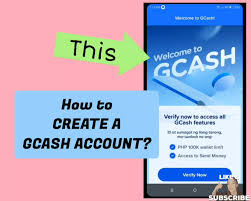 GCash is the Philippines’ largest e-wallet with 94 million registered users. If you’re planning to play at online casinos, GCash is essential for instant deposits and fast withdrawals. Here’s the complete step-by-step signup process.
Why GCash Matters for Casino Players
- Instant deposits – Money appears in your casino account within 5-30 seconds
- Fast withdrawals – Most casinos process GCash payouts within 2-24 hours (compared to 3-7 days for bank transfers)
- Accepted everywhere – Every major Philippine online casino accepts GCash (BK8, 1xBet, 22Bet, PesoBet, etc.)
- Enhanced security – Extra layer between your bank and the casino
- No fees – Most casino deposits are free
- Works on any phone – Optimized for budget smartphones and slow connections
Step 1: Download the GCash App
- Open Google Play Store (Android) or App Store (iPhone)
- Search for “GCash”
- Look for the official app by Mynt – Globe Fintech Innovations, Inc.
- App icon is blue with white “G” symbol
- Download and install (approximately 50MB)
Step 2: Begin Registration
- Open the GCash app
- Tap the blue “Register” button
- When prompted, tap “Allow” for phone number access (needed for OTP verification)
Step 3: Enter Your Mobile Number
- Enter your Philippine mobile number (Globe, TM, Smart, TNT, or Sun)
- Must be 11 digits starting with 09 (example: 09171234567)
- No spaces or dashes
- Tap “Next”
- GCash sends OTP via SMS (arrives in 5-30 seconds)
- Enter the 6-digit OTP code
- If no SMS after 2 minutes, tap “Resend OTP”
Step 4: Create Your MPIN
- Create a 4-digit MPIN (Mobile PIN)
- Avoid obvious numbers like 1234 or your birthday
- Enter your chosen PIN
- Re-enter to confirm
Important: Write this PIN down somewhere safe. You’ll need it for every transaction.
Step 5: Provide Your Personal Information
Enter these details accurately:
- Full legal name – Exactly as on your valid ID (first, middle, last name)
- Birthdate – Select from calendar
- Complete address – Street, barangay, city, province
- Email address – Use one you check regularly (GCash sends important notifications)
- Source of income – Select from dropdown (employed, self-employed, business, etc.)
Review carefully, then tap “Submit”
Step 6: Agree to Terms and Conditions
- Read (or scroll through) the Terms and Conditions and Privacy Policy
- Check the agreement box
- Tap “I Agree”
Your basic GCash account is now created.
Step 7: Verify Your Account (Fully Verified Status)
Why verify: Basic accounts have ₱100,000 monthly limits. Fully Verified status gives you ₱500,000 monthly limits – essential for casino use.
Start verification:
- From GCash home screen, tap menu icon (three horizontal lines, top left)
- Tap “Verify Now”
- Select “Fully Verified”
Take your selfie:
- Hold phone at arm’s length
- Ensure good lighting
- Remove glasses
- Make sure entire face is visible
- Tap camera button
- Follow prompts (may need to turn head or blink)
Scan your government ID:
Accepted IDs:
- UMID
- Driver’s License
- Passport
- PRC ID
- Voter’s ID
- Postal ID
- Any government-issued photo ID
Process:
- Place ID on flat, dark surface with good lighting
- Position within on-screen frame
- Ensure all text is clearly readable
- Tap to capture front
- Flip and capture back
Wait for verification:
- App verifies against government databases
- Takes 1-3 minutes (up to 24 hours during peak times)
- You’ll receive notification when complete
- “Fully Verified” appears in your profile
Step 8: Add Money to Your GCash Account
Choose your cash-in method:
7-Eleven (easiest):
- Open GCash app
- Tap “Cash In”
- Show barcode to 7-Eleven cashier
- Pay cash
- Money credited instantly
Bank transfer:
- Transfer from your linked bank account via GCash app
- Instant credit
Online banking:
- Transfer to your GCash account number from your bank’s website/app
Receive from friends:
- Ask someone with GCash to send you money
Recommended: Keep at least ₱5,000-10,000 in your wallet for casino play.
Step 9: Test Your Account
Before using at casinos:
- Send ₱100 to a friend with GCash, OR
- Cash out ₱100 at a GCash partner outlet
This confirms everything works properly.
Using GCash at Online Casinos
Depositing:
- Log into your casino account
- Go to cashier/deposit
- Select GCash
- Enter amount (minimum usually ₱100-500)
- Enter your GCash mobile number OR get redirected to app
- Approve with your MPIN
- Money appears in 5-30 seconds
Withdrawing:
- Go to casino cashier
- Select withdrawal
- Choose GCash
- Enter your registered mobile number exactly
- Enter withdrawal amount
- Submit
- Casino processes in 2-24 hours (some up to 48 hours)
- Notification when money arrives in GCash
Important Tips
- Match mobile numbers – Use same number for casino account and GCash (mismatches delay withdrawals)
- Keep app updated – Updates include security improvements
- Enable fingerprint/face login – Faster and more secure
- Never share your MPIN – Not even with casino support
- Screenshot transactions – Proof for disputes
- Know casino fees – GCash is free, but some casinos charge 1-3%
- Check withdrawal limits – Large amounts may need batched requests
- Write down your PIN – Recovery takes 1-3 days via support
Troubleshooting
Verification rejected:
- Retake ID photos in bright natural light
- Ensure personal details exactly match ID
- Check for blur or glare on photos
OTP doesn’t arrive:
- Verify mobile number was entered correctly
- Check signal strength
- Wait 2 minutes, then request new OTP
Forgot MPIN:
- Contact GCash customer support
- Takes 1-3 days to resolve
- Prevention: Write PIN somewhere safe
Transaction failed:
- Check internet connection
- Verify sufficient GCash balance
- If deposit doesn’t show after 30 minutes, contact casino with transaction reference
Account locked:
- Wait 24 hours for automatic unlock, OR
- Contact GCash support for faster resolution
Final Summary
The entire setup takes about 30 minutes. After initial verification, depositing at casinos takes literally 30 seconds. Withdrawals arrive in hours instead of days.
GCash is licensed and regulated by Bangko Sentral ng Pilipinas (BSP) and accepted at all PAGCOR-licensed casinos. It’s completely safe and legal for casino transactions in the Philippines.
Make sure you complete the “Fully Verified” step – this is crucial for casino use. Basic accounts won’t give you enough transaction limits for serious play.
Good luck at the tables!